Adobe Dreamweaver
Adobe Dreamweaver for creating and designing web pages in a modern style, with editing abilities in Live View


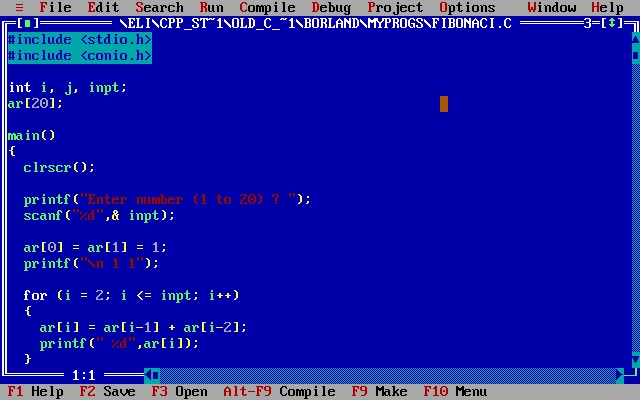
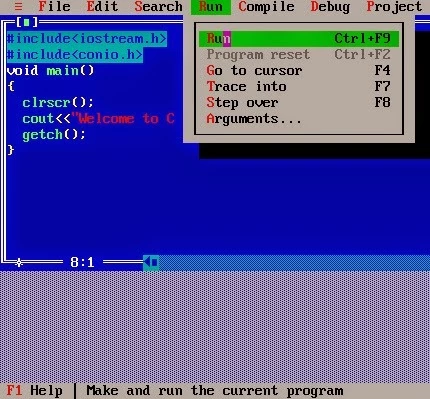
Turbo C++ is an Integrated Development Environment (IDE) and an upgraded version of the old C++ compiler that offers excellent services for the latest Windows versions. You can install it for C/C++ development as well as educational purposes to manage your editing, project management, and basic debugging more reliably.
The software with a text-based interface offers basic syntax highlighting, and efficient workflow within DOS constraints. However, it has limited code completion capability, but as a combination of compiler, editor, and debugger, it streamlines the environment to enhance your productivity and learning.
Turbo C++ developed by Borland is a DOS-based IDE that was released in 1990, and it has been repackaged and customized version that you can install on the latest Windows operating systems, including Windows 11/10/8/8.1/7, and Vista as well. It is the best solution for students, professors, and hobbyists.
It exclusively allows code editing, compiling, linking, and debugging, as the fast compilation, small executable file sizes, and use of system resources efficiently make it one of the best choices to develop applications, even on low-end systems. You can run the innovative software, even on your mobile, with the help of the TurboCrdoid app.
The user interface within the blue-themed layout feels like classic Turbo C++ and is familiar with other such heritage. However, the modern users familiar with feature-rich IDEs will find the design a little bit outdated. It offers simple and smooth navigation, and basic development functions can easily be accomplished. Multiple new improvements, such as stability and maintenance of compatibility issues, are available to install the software on the latest versions more reliably.
Turbo C++ was introduced to manage the C++ programming that is still considered very important in different ways, such as;
The software offers enhanced productivity while reducing errors while working as a user-friendly code editor and debugging integration. It makes basic debugging simple while supporting setting breakpoints and stepping through code. However, the code debugging functionality is limited compared to modern debuggers, but it proves to be the best solution for smaller programs.
The Turbo C++ proves to be one of the most reliable IDE platforms for both beginners and professionals as well. Multiple changes took place from time to time, and finally became a complete metamorphosis of the product to C++ Builder, which is owned by Embarcadero. It is possible to use the program on the latest Windows versions while using DOSBox to emulate the old DOS environment.
The Windows version of Turbo C++ offers a lot of features within simple installation, proving the best decision for C++ programming. It is embedded with multiple features such as;
The software offers enhanced performance in various learning fields, such as students, professors, engineers, and enthusiasts. It offers clear and fundamental concepts of C/C++, and the smooth compilation and execution times facilitate educational and small-level projects more reliably. It offers a reliable environment to manage educational coursework or maintain legacy software.
However, there are some downsides as well, as the first one is its incompatibility with the latest Windows versions and the latest language standards, and in the case of managing large-scale C++ projects, you will find a lack of integration with external libraries, built-in project management features, and graphical debuggers.
The innovative compatibility within legacy systems is possible because of DOS environments and the segmented memory model used by early Intel 8086 processors. So, the developers can easily maintain as well as study the older applications, and also be reliable for low-end system programming that requires direct access to hardware.
Pros
Cons

Adobe Dreamweaver for creating and designing web pages in a modern style, with editing abilities in Live View

Notepad++ is an open-source utility, supports multiple programming languages to edit text and source code

XAMPP empowers web developers to build a local web server with the addition of MySQL, PHP, and Perl.

Android Studio builds Android apps with support for a comprehensive development environment

PSeInt provides comprehensive tools to learn algorithm logic

Arduino IDE verifies, compiles, and uploads Arduino software with cloud integration